
בסייעתא דשמיא
Press Start calling.
Watch the money come in.
Your donors, your callers and every gift and promise on one clear screen. Pledgix dials, shows your volunteer who is on the line and what to ask, and saves every call by itself.
Included in Pro and Political.We switch calling on for you.
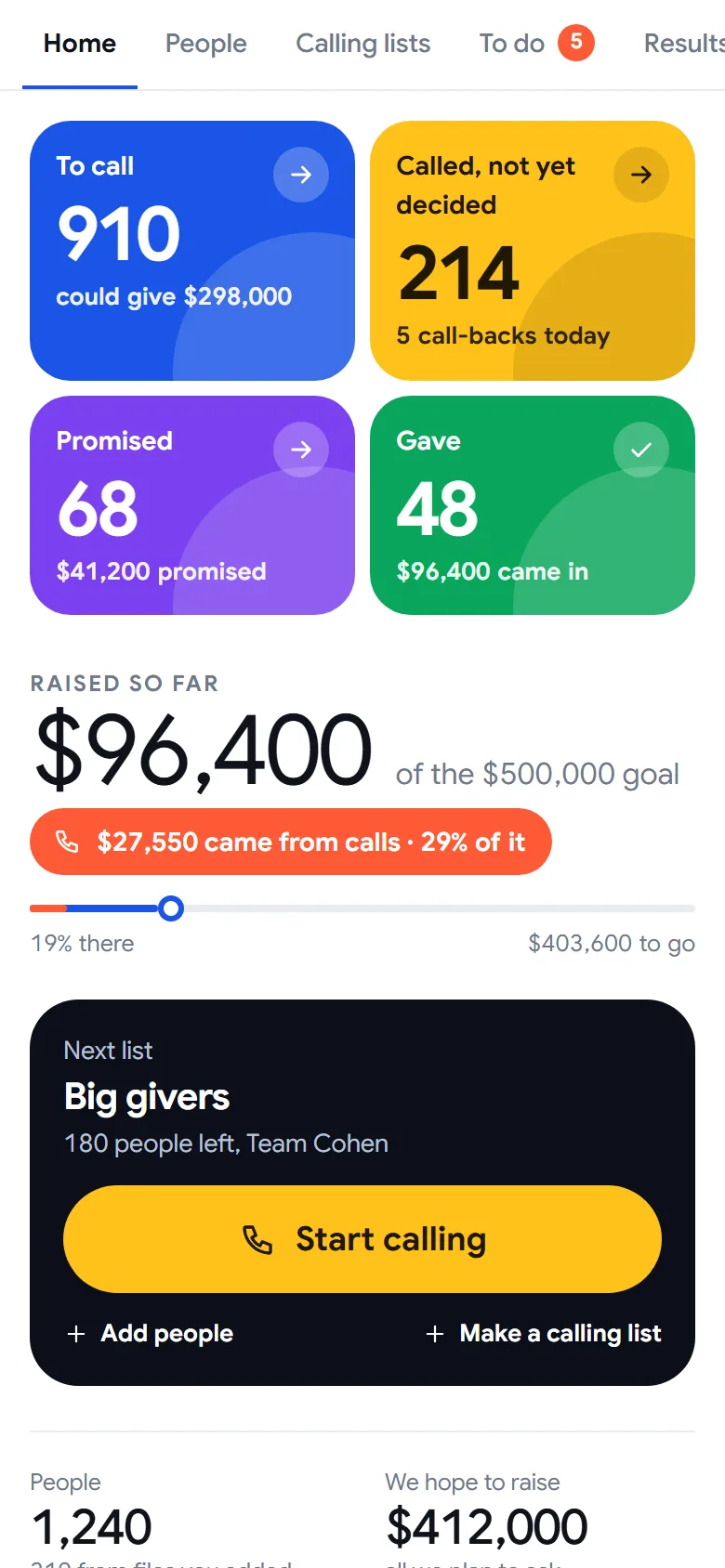
Every person is somewhere on the road.
Four colours tell you where your campaign stands: who still needs a call, who is thinking about it, who promised and who gave. A ten-year-old can read it. Tap a colour to follow one donor.
Rachel Stein gave $180 last year and nobody has called her yet. Pledgix suggests you ask for $500.
The coral part of the line is what the phones brought in. Your Home shows it live, for your own campaign.
Three steps. Then you’re calling.
We switch calling on and set up the number your callers call from. You do three things, and after each one the screen tells you what comes next.
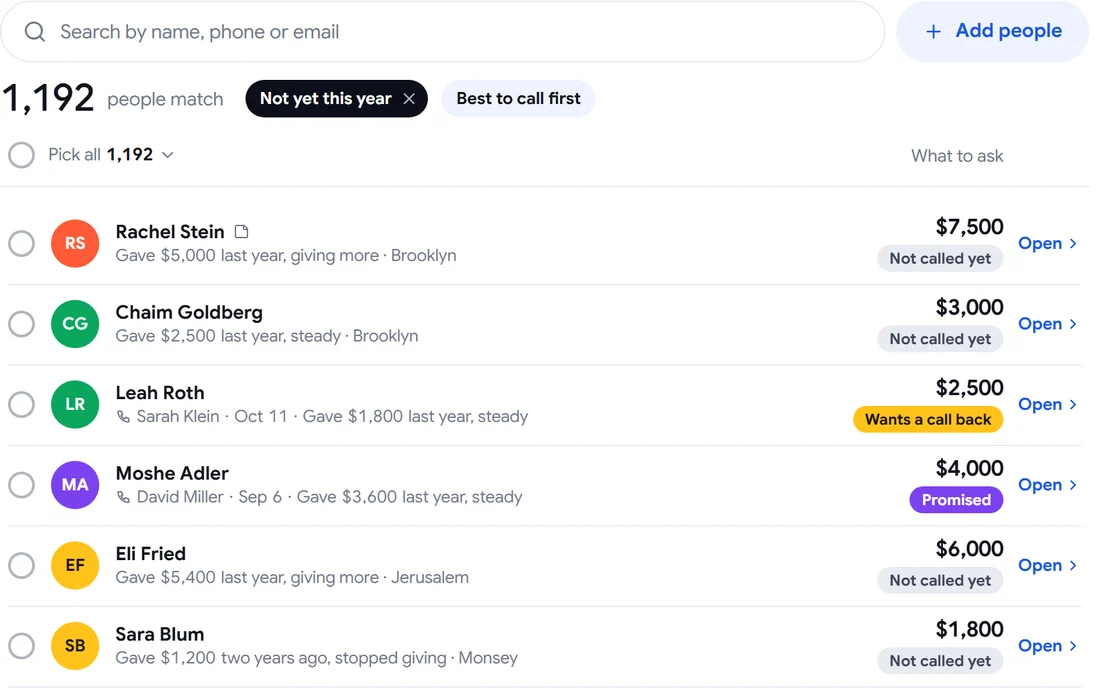
Add your people
Bring your lists from Excel and past years. Pledgix joins them into one person each, with every year of giving and an amount to ask.
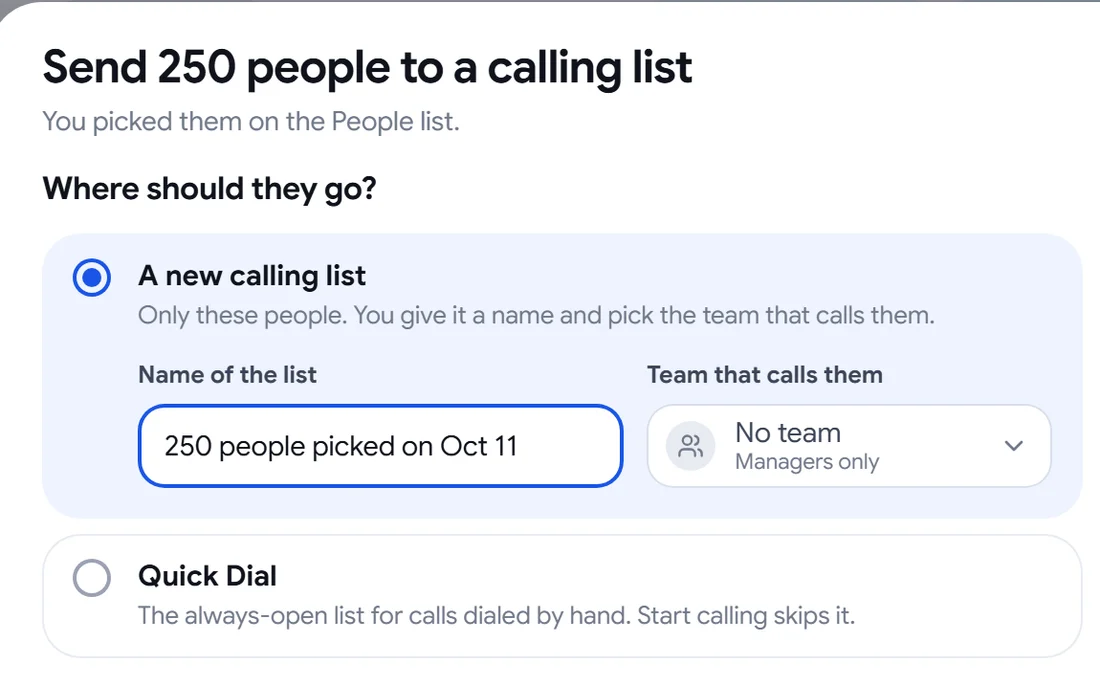
Pick who calls them
Send the people you picked to a calling list and choose the team. Check first shows who goes on the list and who is left out, before anything is sent.
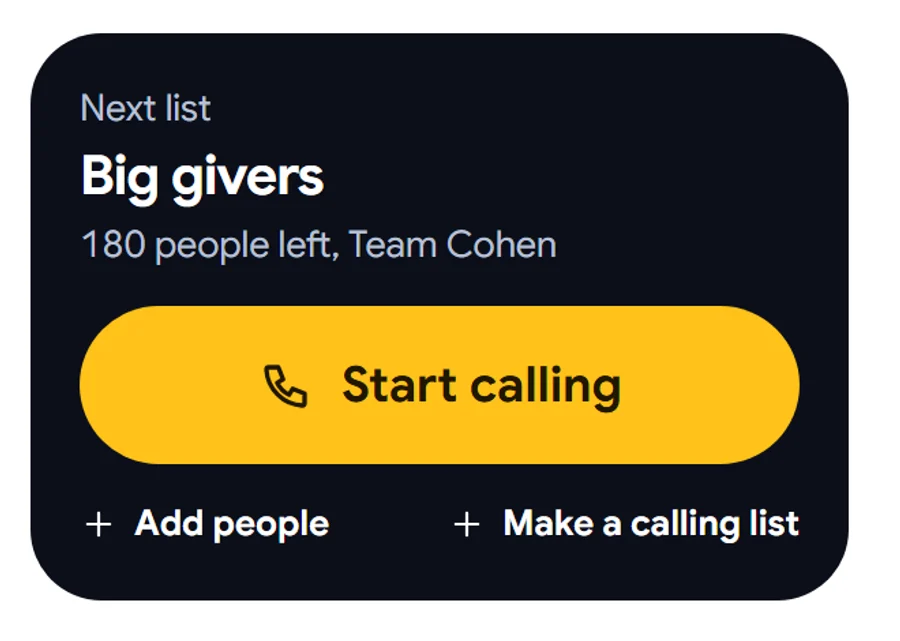
Press Start calling
One yellow button. Pledgix dials the next person, puts them on the screen, and moves on by itself when the call ends.
Left out on the wayAnyone on the do-not-call list, anyone with no number, a second person with the same number, and anyone already waiting on another list.
Everything a caller needs.
Nothing they don’t.
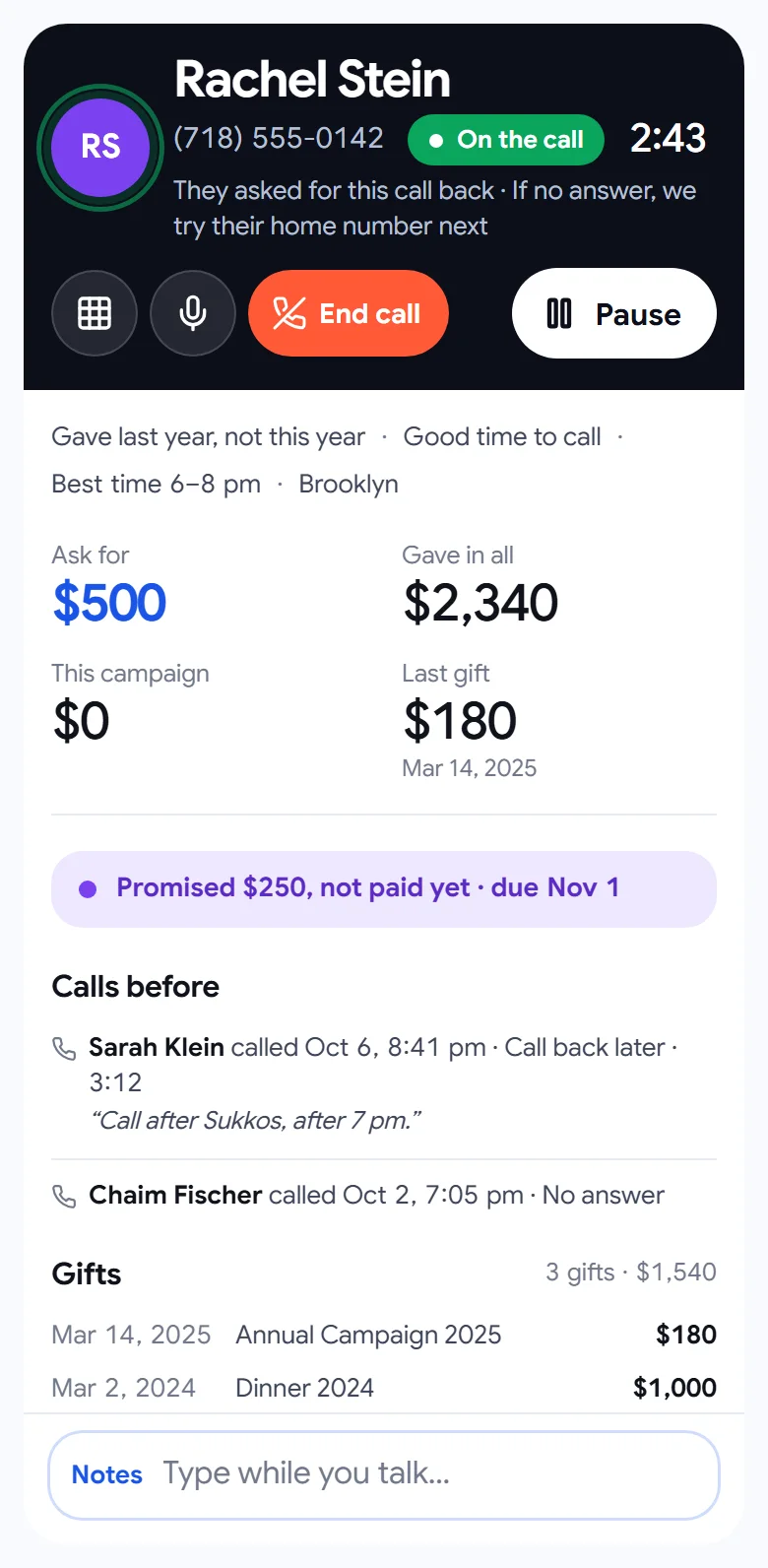
From hello to thank you on one screen. Your volunteer knows who is on the line, what to say and how much to ask, and takes the gift with one press. Tap a number to see each part.
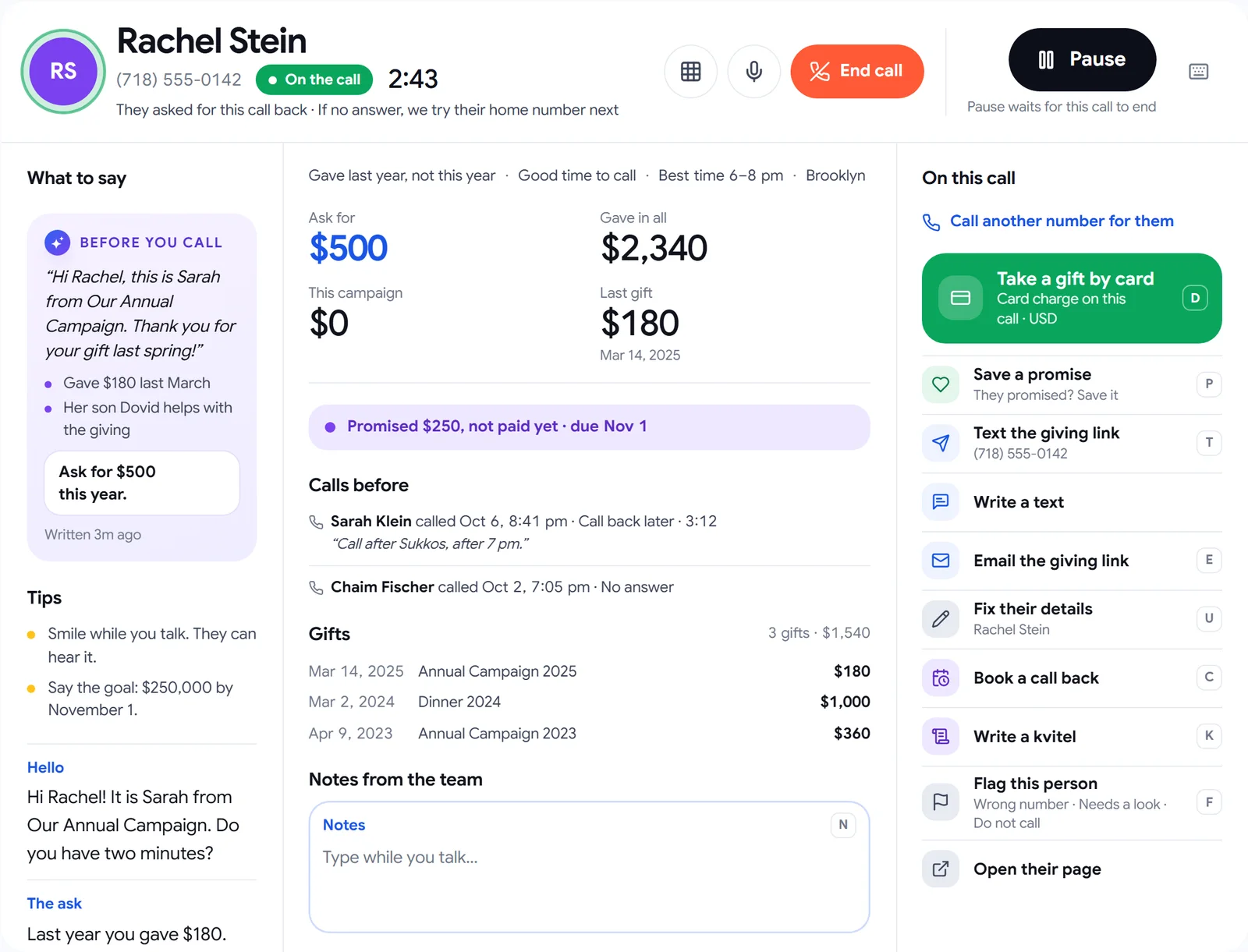
- 1Before you callA short opener written for this person, from what they gave before. Ready when the call starts.
- 2What to askThe amount to ask, big and blue, next to what they gave in all and their last gift.
- 3Calls beforeWho called, when, how it ended and what they wrote. No caller starts cold.
- 4Take a gift by cardRight on the call. The card goes into the payment company’s secure fields.
- 5One press for the restSave a promise, text or email the giving link, book a call back, write a kvitel. Each has a letter key.
- 6End call, or pausePause waits for the call to end. Nobody gets cut off.
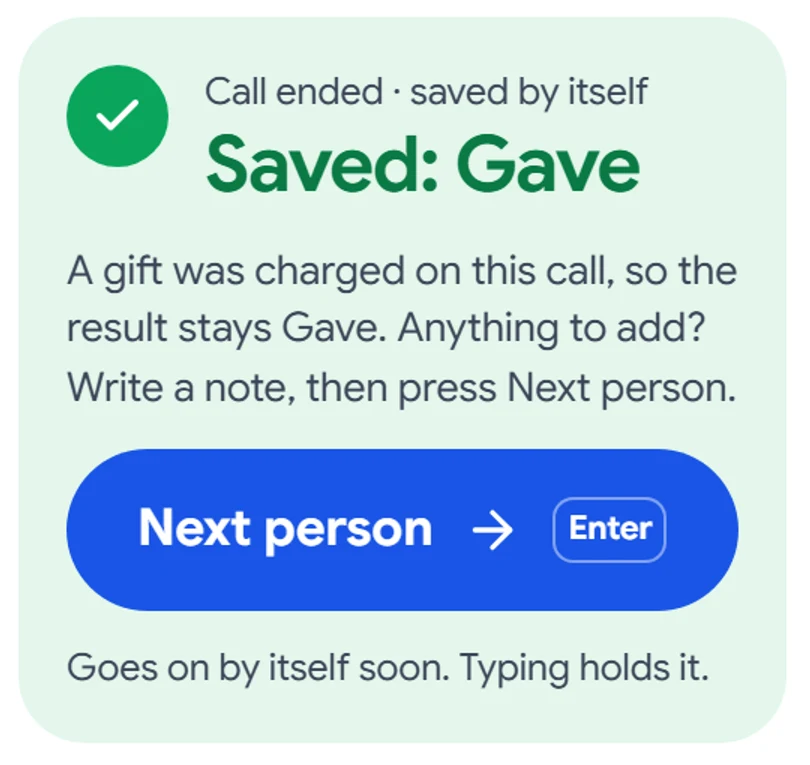
Hang up. It’s already saved.
When a call ends, Pledgix writes down how it went and gets the next person ready. A gift charged on the call always stays a gift. Typing a note holds it until you’re done.
- No form to fill in after every call.
- The next person comes up by itself, or press Enter.
- Picked the wrong result? Fix it later, without a new call.
Know who to call, and how much to ask.
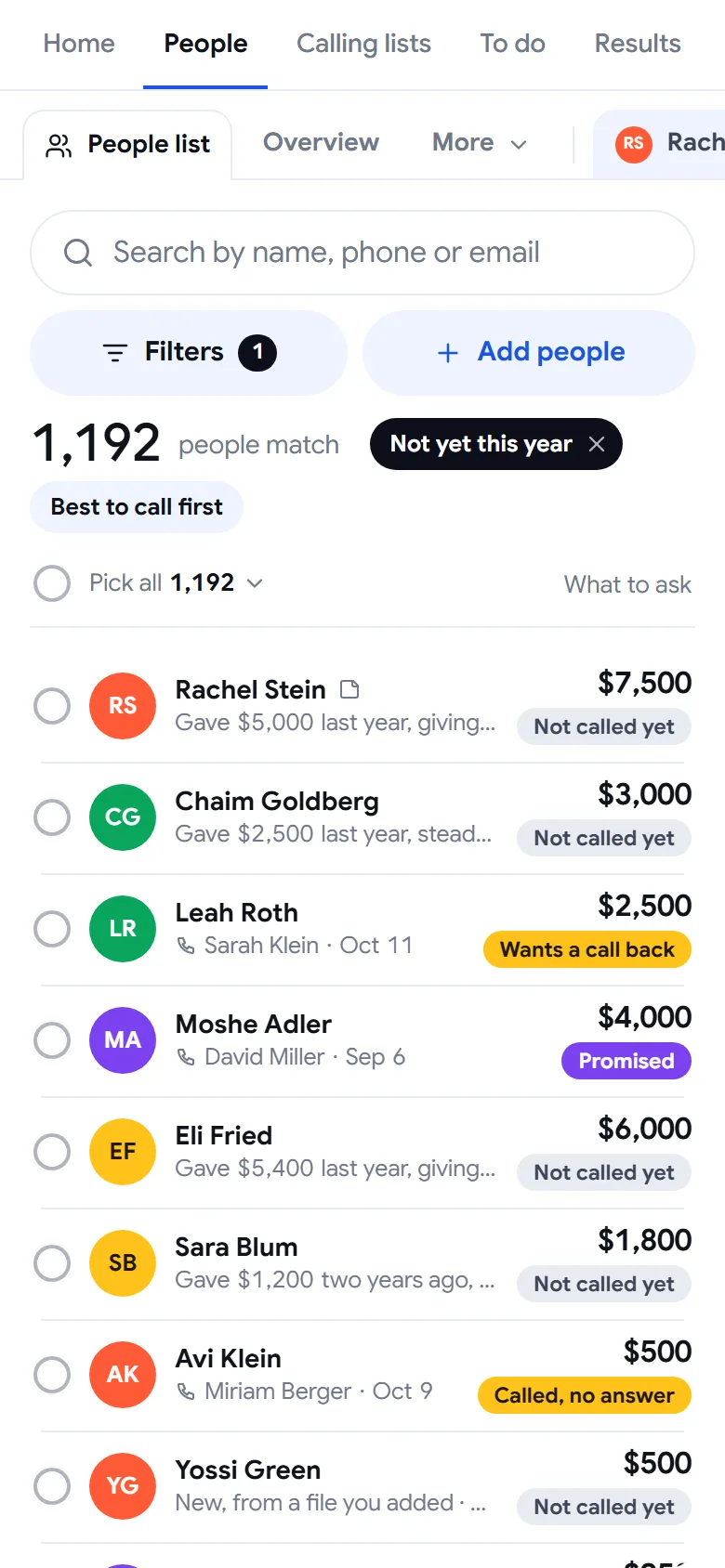
Everyone you know in one list, with every year of their giving. Sort by Best to call first and the people most likely to give come to the top, with the amount to ask already there.
- Every filter in plain words: stage, gift size, trend, gave this year, called or not.
- Who called each person last, and when, right on the row.
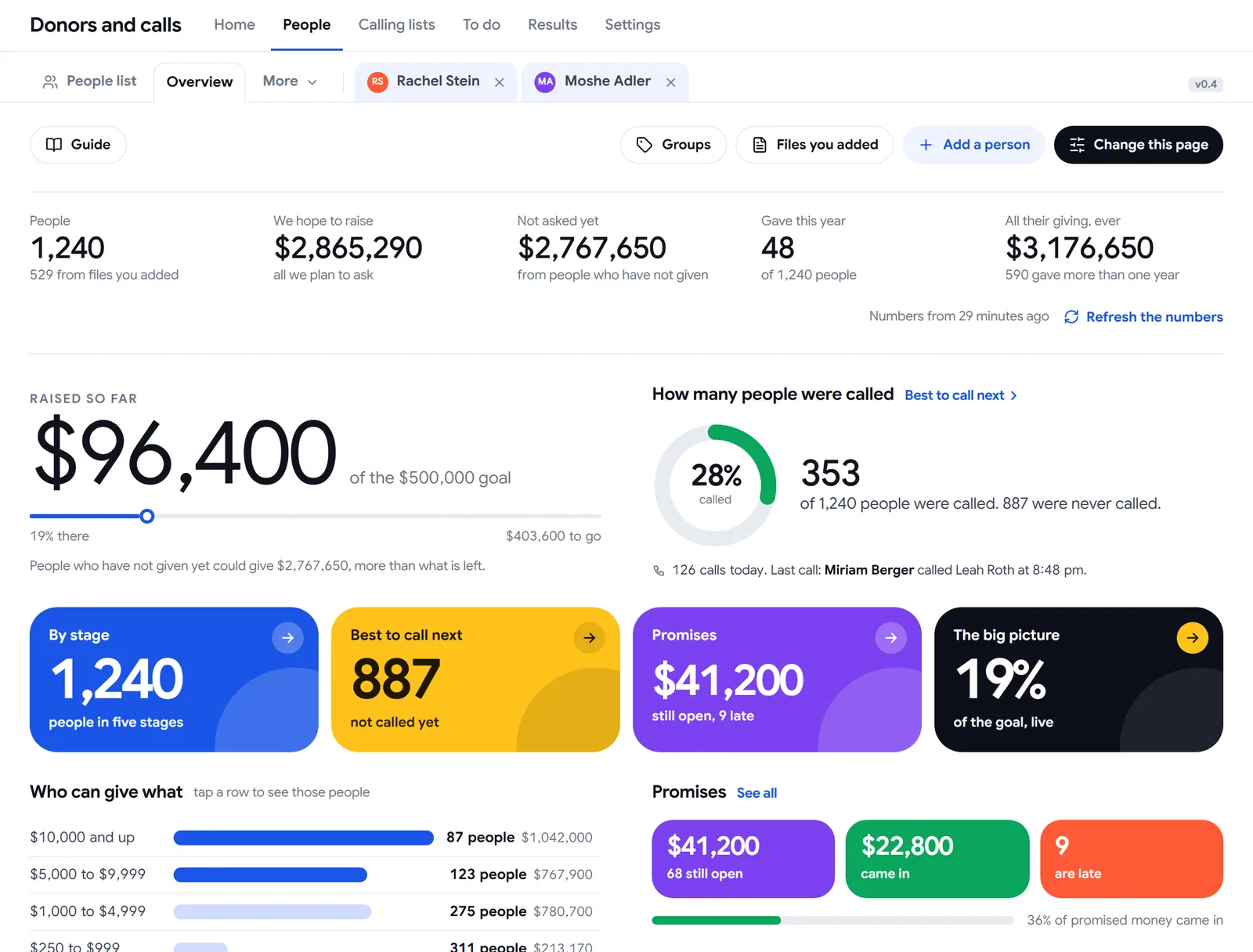
- Who can give what: your people by gift size, one tap to see them.
Each team sees only its own list.
Give a list to a team and that team can call it. Nothing more. Your full donor list stays with your managers, and a caller sees one person at a time.
- See who is calling right now, and on which list.
- How many were called and how much each list raised.
- Call one number by hand from the keypad. It is saved too.

Nobody falls through the cracks.
Call backs, promises to collect, checks to collect and messages wait in one place. Late ones turn red, with who promised the call back and when they were last on the phones.
11 need you now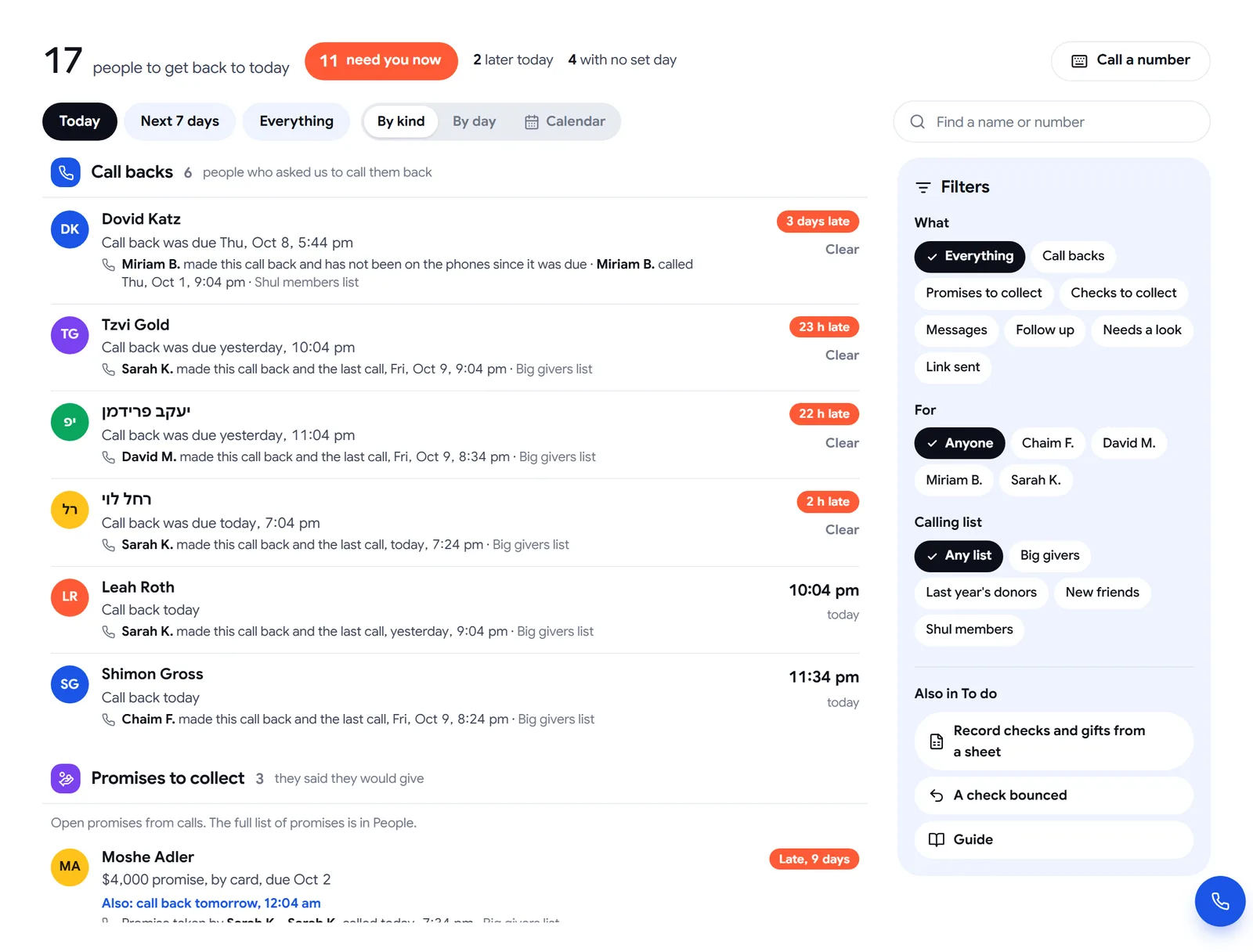
See every call. Cheer every caller.
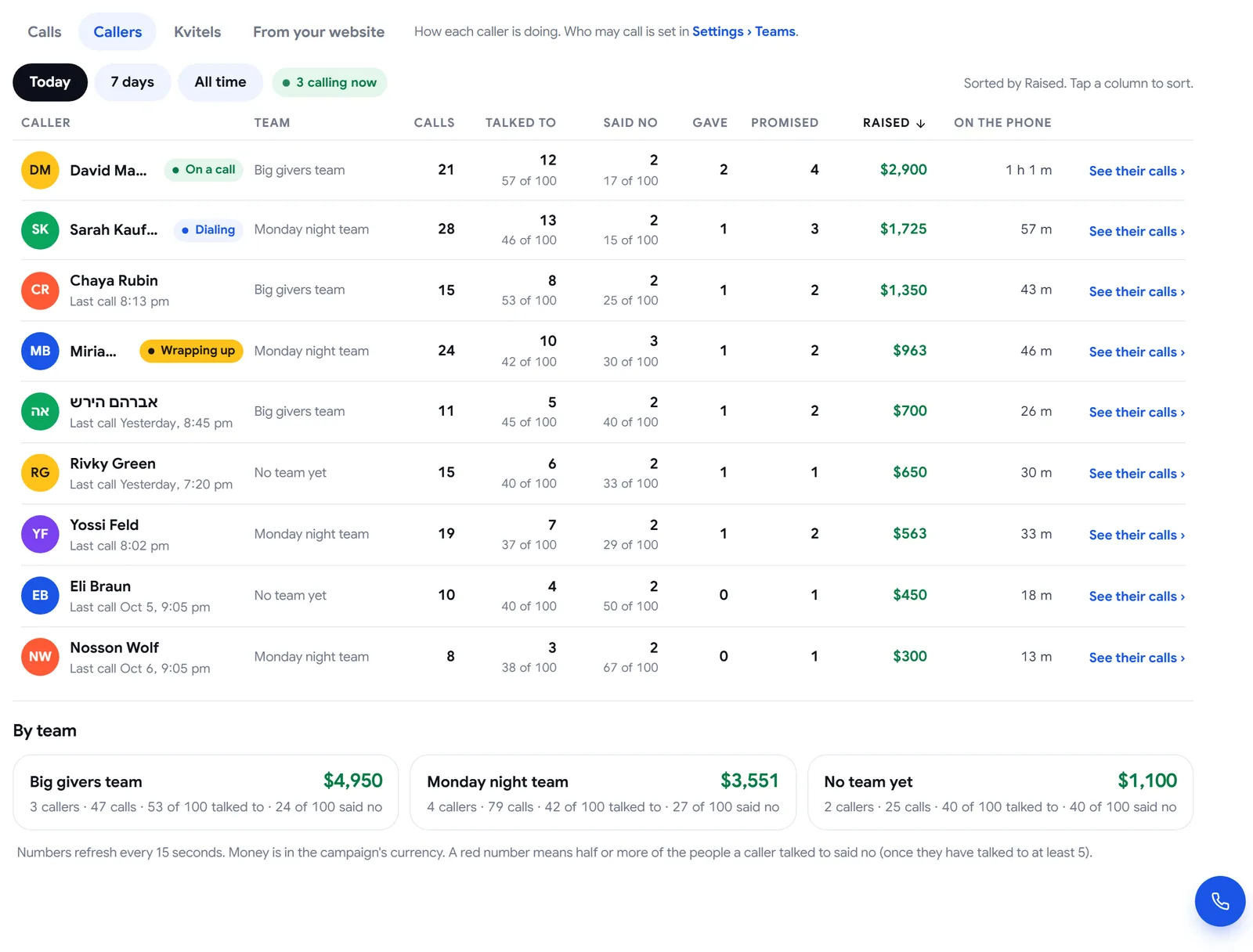
Every call with who made it, when, how it ended and the note. Every caller with calls, talked to, gave, promised and raised. Today, this week or all time.
- A friendly race keeps your callers going.
- See at a glance who needs a little help.
Call from anywhere.
Managers check the numbers from their phone. Volunteers call from theirs. The same screens, made for a small screen, with big buttons.
Phone night, before and after.
What is your list worth?
Move the sliders to your own numbers. The people on your list are already waiting for a call.
If 75 of 500 people give $360, that is $27,000.
This is simple multiplication with your numbers, not a promise. Every campaign is different.Good questions.
What do I need to start?
A Pro or Political campaign. Ask us and we switch calling on and set up the number your callers call from. Then add your people, pick a team and press Start calling.
Do my callers need phones or special equipment?
No. They call from a computer or a phone, in the browser. A headset makes long evenings easier.
Can my callers see all my donors?
No. Managers see everyone. A team sees only the list you gave it, and a caller sees one person at a time, during the call.
Can we take a gift by card on the phone?
Yes, when it is switched on for your campaign. The card number is typed into the payment company’s secure fields. Pledgix never sees or stores it.
What about people who asked not to be called?
They are left out when you send people to a list, together with anyone with no number we can dial, a second person with the same number and anyone still waiting on another list. You see how many right after.
We use Pledgix Go or Pledgix One. Can we have it?
Talk to us. We can open Donors and calls for a single campaign.
Does it work in Hebrew?
Yes. English, Hebrew, Russian, Spanish and French, with Hebrew right to left.